

Salesforce Data Integration
Powered by KingswaySoft Solutions
Integrate and connect Salesforce using flexible SSIS, JDBC, webhook processing, and codeless synchronization tools to work with standard objects, custom objects, relationships, activities, and related CRM data.

Explore Data Solutions for Salesforce

SQL Server-Based Integration

Java Connectivity

Data Synchronization

Real Time Integration
The Most Feature-Rich and Flexible Data Solutions
SSIS Connectors - ETL Components - JDBC Drivers - Productivity Tools
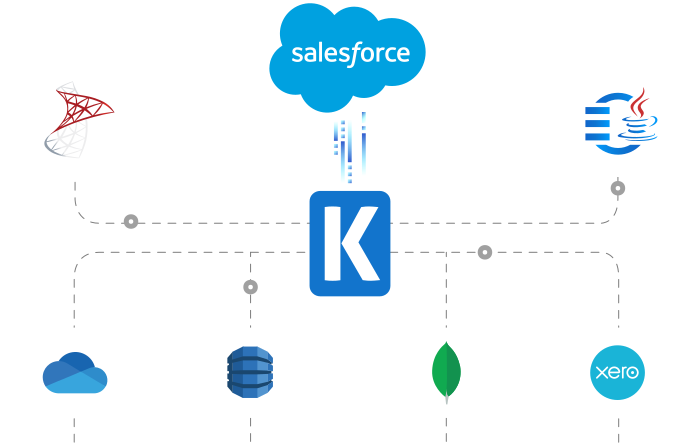
SQL Server Based Data Integration
Powerful Salesforce SSIS Integration

Integrate Salesforce with Any Source and Destination
Integrate Salesforce standard objects, custom objects, relationships, activities, and related CRM records using SSIS with virtually any application or data source. Build codeless data flows for extraction, synchronization, migration, provisioning, and reporting while the components handle SOAP, REST, and Bulk API connectivity, authentication, SOQL, relationship and aggregate retrieval, field mappings, batch processing, and Create, Update, Upsert, Delete, Merge, and Hard Delete actions.
Java Connectivity
Developer-Focused JDBC Access for Salesforce
Give Java applications structured, API-based access to Salesforce through the KingswaySoft JDBC Driver. Use SQL-style statements that the driver translates into supported Salesforce API operations, and learn more about how Salesforce JDBC connectivity works.
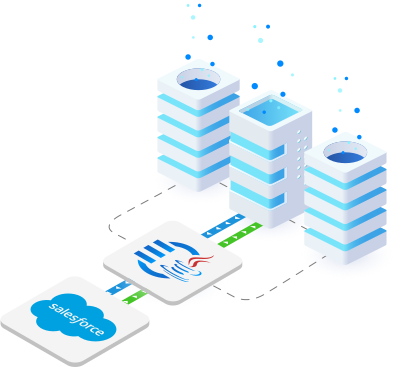
Salesforce with EasySync
Turnkey Data Synchronization Solution for Salesforce
Use a codeless experience to configure and manage repeatable data synchronizations from Salesforce into supported database destinations. Define connections, mappings, tasks, and schedules, and monitor execution results through a centralized web interface.
Connect & Configure
-
Connect Salesforce as a source and select a supported database destination.
-
Configure reusable connections, field mappings, tasks, and job settings.

Synchronize & Automate
-
Use full or supported incremental extraction modes to transfer Salesforce data.
-
Run jobs manually or on a defined schedule and monitor status, processed rows, and failures.
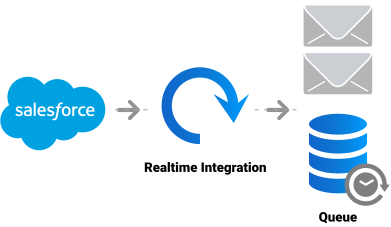
Real-Time Syncing
Receive Salesforce Webhook Events
Leverage Integration Gateway's Custom Webhooks to instantly capture and process data changes in Salesforce, enabling real-time integration to keep data up-to-date across systems.
Data Integration Scenarios
Integrate Salesforce with Anything
Connect Salesforce with CRMs, ERP systems, financial applications, and marketing platforms, using SSIS-based components.

Integrate Salesforce with Microsoft Dynamics 365

Integrate Salesforce with HubSpot

Integrate Salesforce with Jira

Integrate Salesforce with NetSuite

Integrate Salesforce with Okta

Integrate Salesforce with Oracle

Integrate Salesforce with Power BI

Integrate Salesforce with QuickBooks

Integrate Salesforce with ServiceNow

Integrate Salesforce with Microsoft SharePoint

Integrate Salesforce with Microsoft Teams

Integrate Salesforce with WordPress
More CRM Connectors
Our CRM Application Connectors deliver comprehensive data solutions, enabling seamless connectivity, real-time integration, data synchronization, and powerful automation across various platforms. Each service is supported by purpose-built solutions designed to work with its unique requirements. In addition to Salesforce, we support the following CRM applications:
Browse Connectors

Blackbaud

Copper

Emarsys

Enthuse

Freshsales

Insightly

Microsoft Dynamics 365 CE/CRM

Oracle CRM on Demand

Pipedrive

SugarCRM

SuiteCRM

Zoho Bigin

Zoho CRM
Download Solutions for Salesforce




FAQ
Salesforce data solutions are available through the SSIS Integration Toolkit, EasySync, and the JDBC Driver Pack. Real-time event processing with Salesforce can be streamlined with the Integration Gateway's highly flexible 'Custom Webhook' functionality by receiving standard webhook notifications.
The toolkit supports standard and custom Salesforce objects through SOAP, REST, and Bulk APIs. SSIS packages can search Salesforce data and perform supported Create, Update, Upsert, Delete, Merge, and Hard Delete operations.
Java applications can search and manage supported Salesforce objects using SQL-style statements and standard JDBC interfaces. The driver provides prepared statements, metadata discovery, caching, API selection, read batching, concurrent writing, retries, and logging.
The Integration Gateway utilizes its Custom Webhooks feature to listen for immediate data change messages from Salesforce, instantly processing the event to keep data up-to-date across your connected systems.
EasySync provides a codeless way to synchronize supported Salesforce data into supported database destinations. Configure reusable connections, mappings, tasks, extraction settings, and schedules, then monitor execution status, processed rows, and failures through a centralized web interface.
Get In Touch
If you would like to know more specific details about our solutions, or if you have any suggestions about our product offerings, we are always here to listen and help!
Contact Us